Setting Up for Quotation Usage

Share important files in each deal for more convenient collaboration
Set up for quotation use

To set up for Quotation Management Feature which is a special extra extension for working together with Master Product Feature so that your team can create a simple quotation by themselves by following these steps (For those who are using with Admin and Super Admin level only that will be allowed to set up this feature):

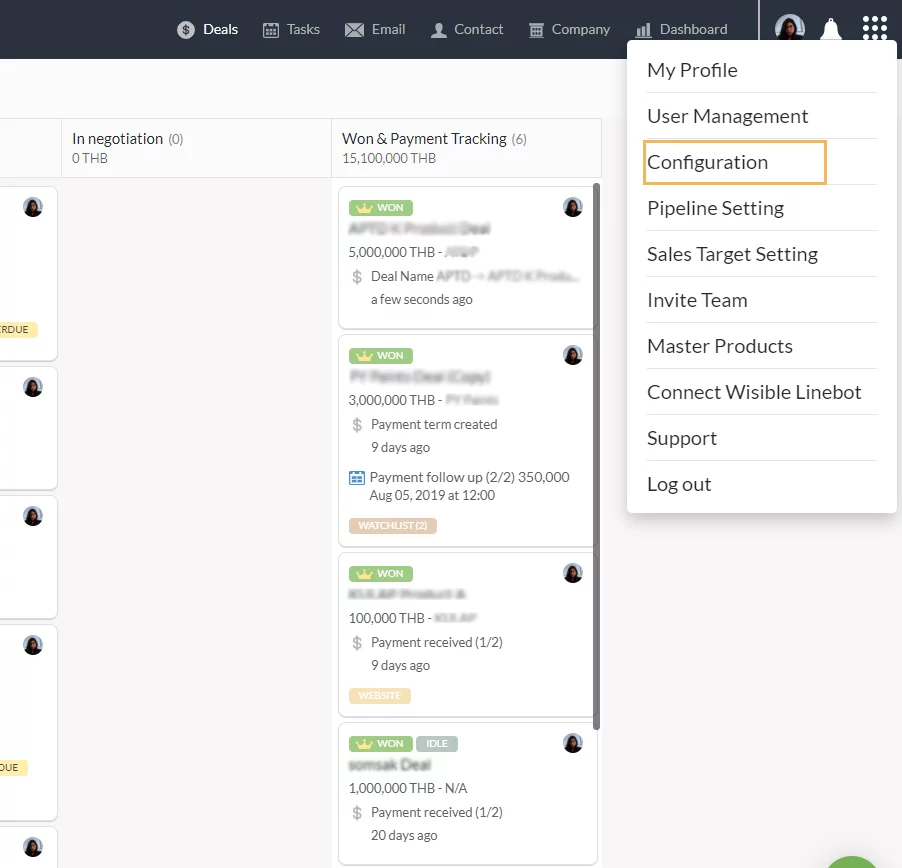
1. Enter Sub-menu ‘CONFIGURATION’

Go to the 9 dots menu on the right hand top corner, choose ‘Configuration’

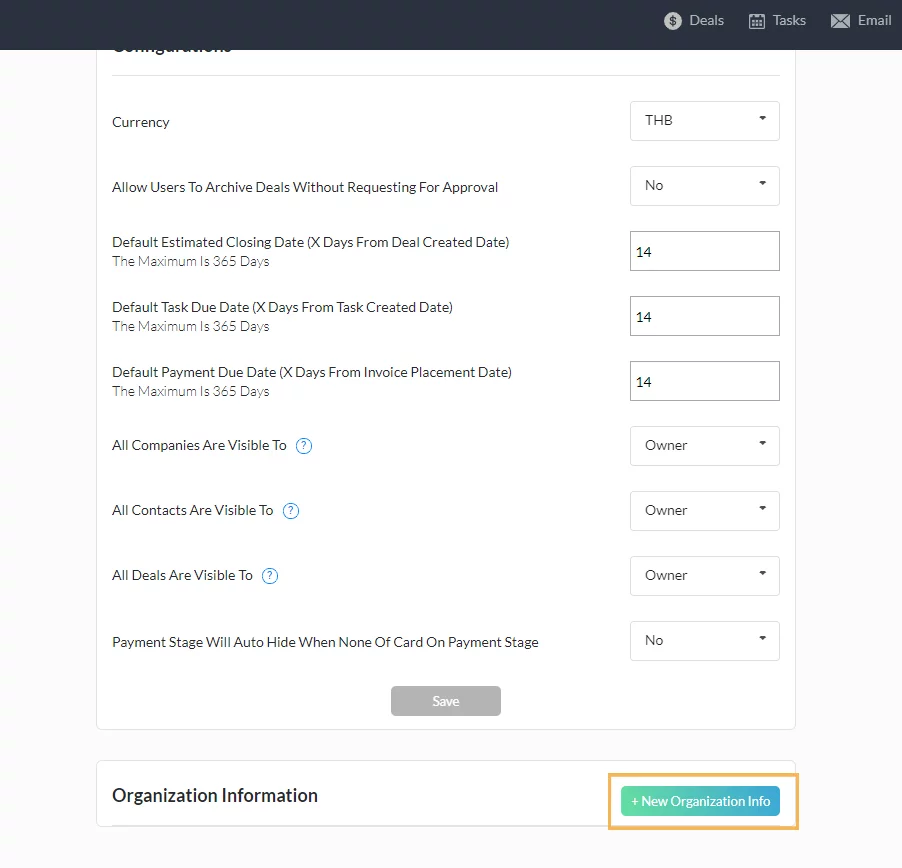
2. Enter to CONFIGURATION page

When you scroll down to the bottom of the menu, there will be the menu ‘Organization Information’, click on the ‘+New Organization Info’ button.

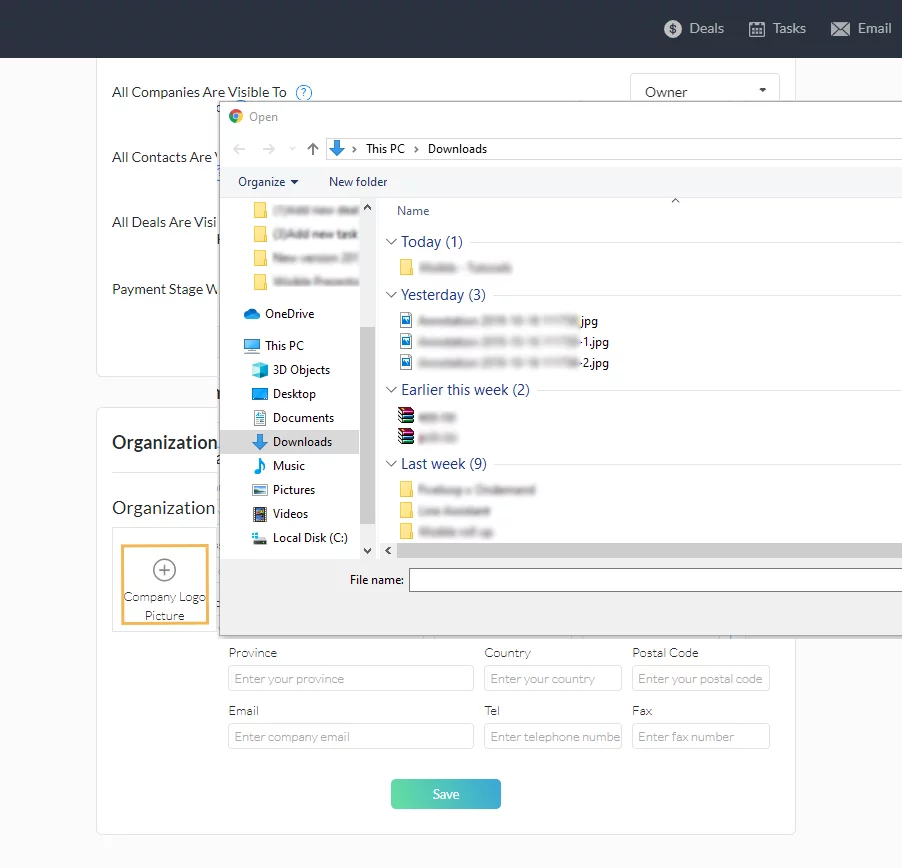
3. Fill in the company information

Company information box will appear. You can put your company logo into the detail as well by clicking on the plus in the circle icon ‘Company Logo Picture’ as the picture below.

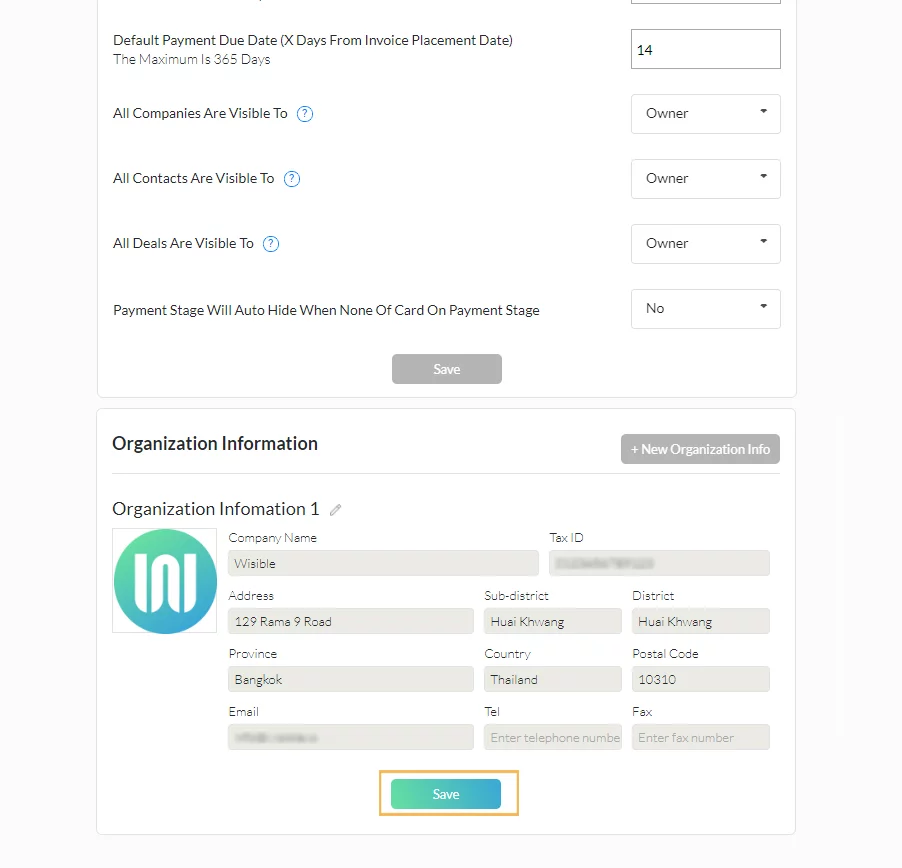
Once fill in the information and your company logo, click on the ‘Save’ button and you have finished the basics for creating the quotation.

Similar Posts

  • เพิ่ม note ของคุณ ผ่าน Wisible Line assistant

    หลายครั้งที่คุณอยากจะจดบันทึกสั้นๆ เกี่ยวกับดีลงานทันทีที่คุยเสร็จ หรือที่คุณนึกออก ครั้นจะจดใส่ในกระดาษ บางทีคุณก็ลืมที่จะนำมาพิมพ์สรุปอีกครั้ง แน่นอนว่าเราเข้าใจความต้องการนี้ นอกจากที่คุณจะสร้างดีลใหม่ผ่าน Wisible Line assistant ได้แล้ว เรายังมีเมนูเพิ่มบันทึกให้คุณด้วย เพียงกดเลือกที่เมนู เพิ่มบันทึก (Add Note) และเลือกชื่อดีลทีคุณต้องการจะเพิ่มบันทึกเข้าไป โดยเราได้เรียงมาให้แล้ว คุณสามารถกดที่ Show next deal ได้หากยังไม่พบชื่อดีลที่ต้องการ เมื่อเลือกดีลแล้วคุณสามารถพิมพ์บันทึกข้อความของคุณลงไปได้เลยทันที แล้วกดส่ง เมื่อกดส่งบันทึกของคุณแล้ว จะได้รับข้อความแจ้งเตือนจากระบบ ว่าคุณได้เพิ่มบันทึกเรียบร้อยแล้ว พร้อมแจ้งว่าคุณได้บันทึกอะไรลงไปที่ดีลใด ไม่ต้องง้อการจดใส่กระดาษเเล้วรอไปเพิ่มใน Wisible ภายหลัง เพียงเเค่เชื่อมต่อกับ Wisible Line assistant เท่านี้คุณก็สามารถส่งบันทึกย่อเพื่อเเจ้งทีมงานของคุณได้ตลอดเเม้จะไม่อยู่หน้าคอมพิวเตอร์ก็ตาม สะดวกสุดๆเลยค่ะ 😀

  • Approve quotations anytime, anywhere with Wisible LINE Assistant.

    In the Sales procedure, sales quotation is another important step that needs fast action in order to close the deal and to create revenue for the company. Wisible LIne Assistant can assist the sales team to approve the quotation quickly and conveniently. When the quotation is made and the approval request has been sent to…